

Tracking cryptocurrency prices manually in Notion quickly becomes time-consuming especially if you monitor multiple coins. With Note API Connector and the Coinranking API, you can automate the entire workflow and keep your Notion database updated with real-time market data.
This tutorial walks you step-by-step through setting up a Coinranking → Notion integration, even if it’s your first time working with APIs.
1. Generate Your Coinranking API Key
Visit Coinranking and create a free account. In your dashboard, go to Dashboard → API. Copy your API key. You’ll use it in Note API Connector to authenticate requests.
2. Identify Which Coinranking Endpoint You Need
Coinranking provides many crypto endpoints, but for simple price tracking, you’ll use the coin price endpoint:
https://api.coinranking.com/v2/coin/:uuid/price
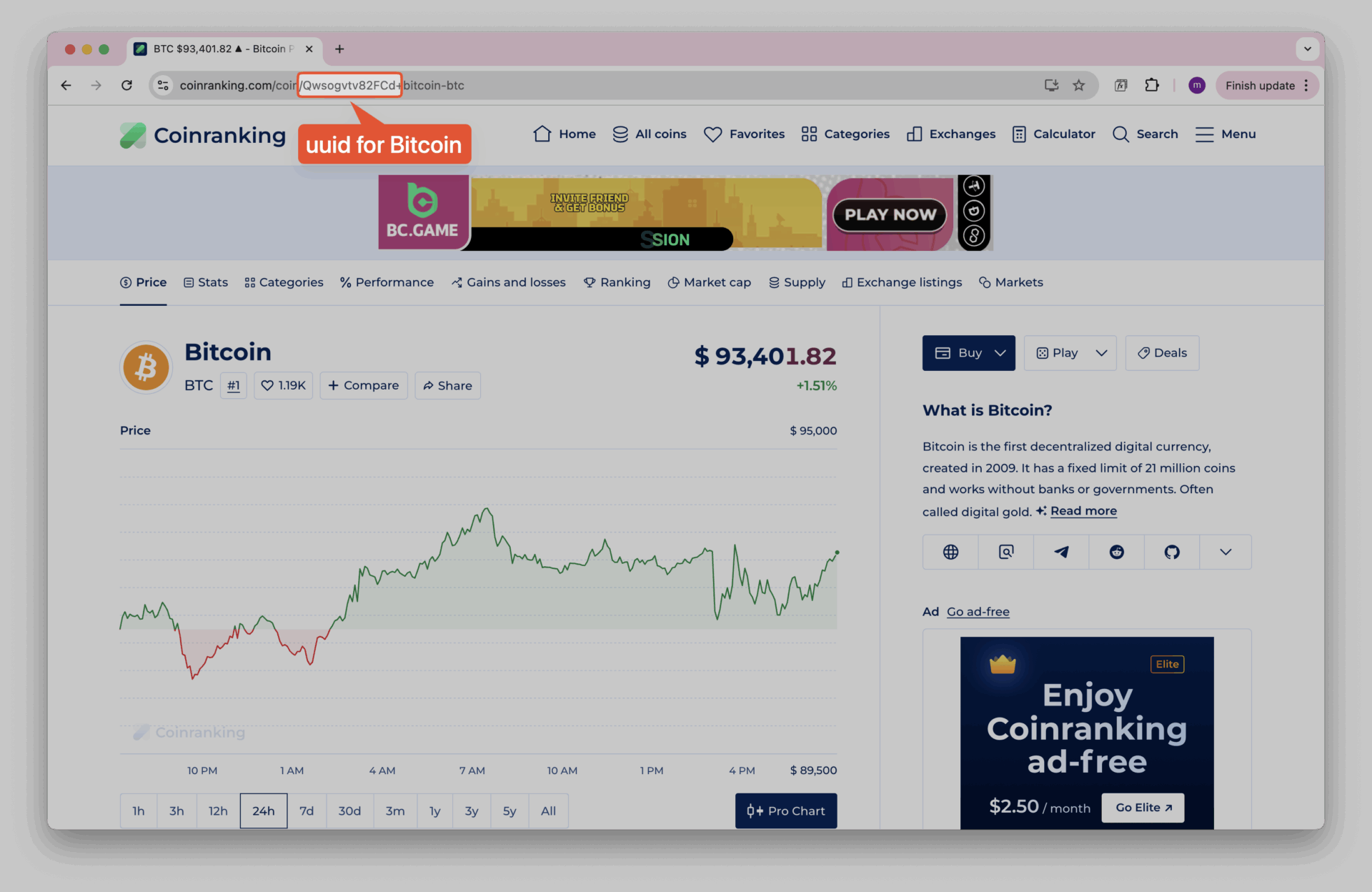
You can find a coin’s UUID by visiting its page on Coinranking.
3. Create a Request in Note API Connector
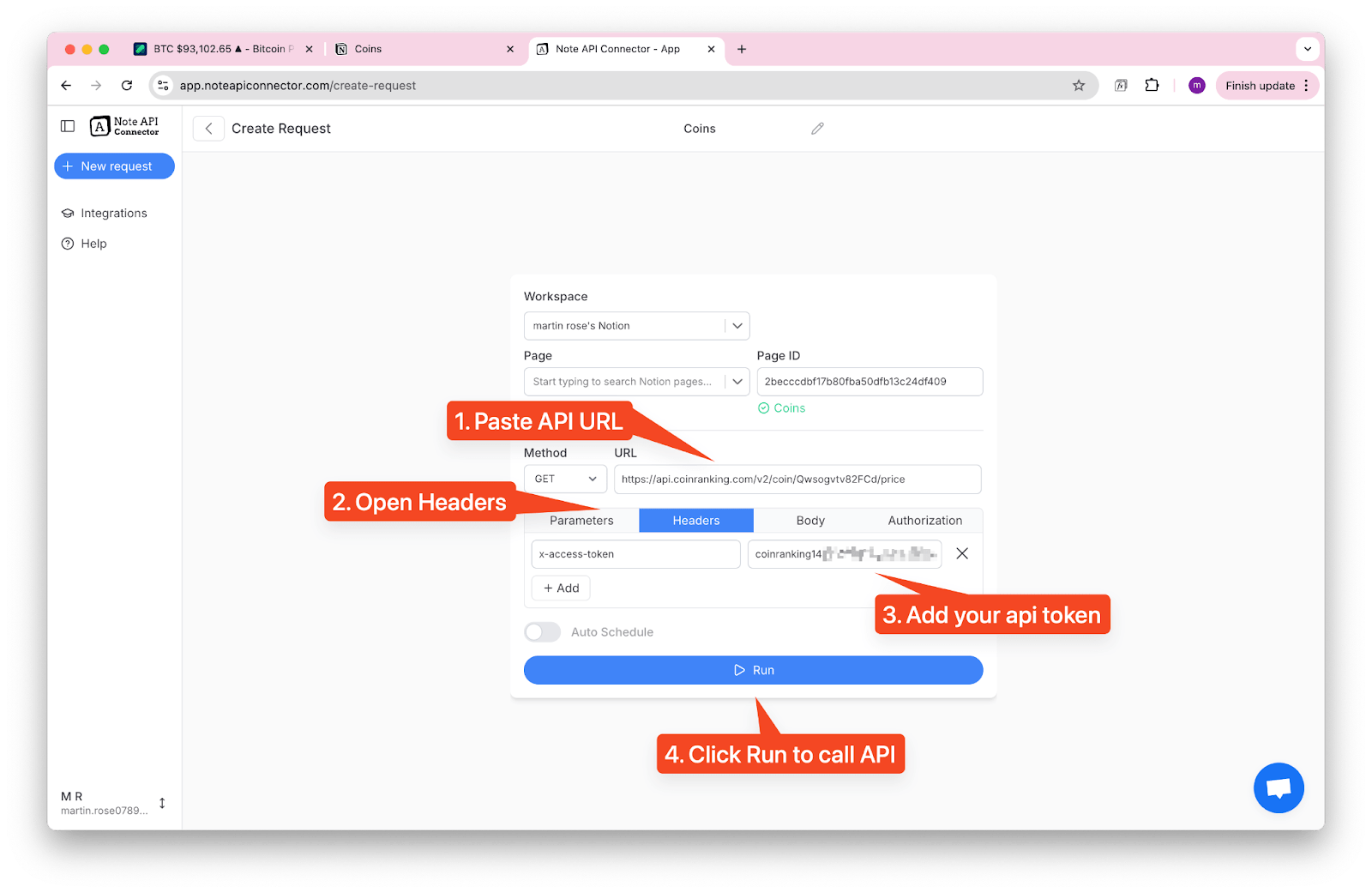
Open Note API Connector and create a new request:
- Select your workspace and choose the Notion database you want to sync data into.
- Paste your endpoint into the URL field, for example: https://api.coinranking.com/v2/coin/Qwsogvtv82FCd/price
- Under Headers, add:
- Key: x-access-token
- Value: your Coinranking API key
- Click Run to fetch live data from Coinranking.
The API call will execute, and Note API Connector will automatically take you to the Preview & Map screen.
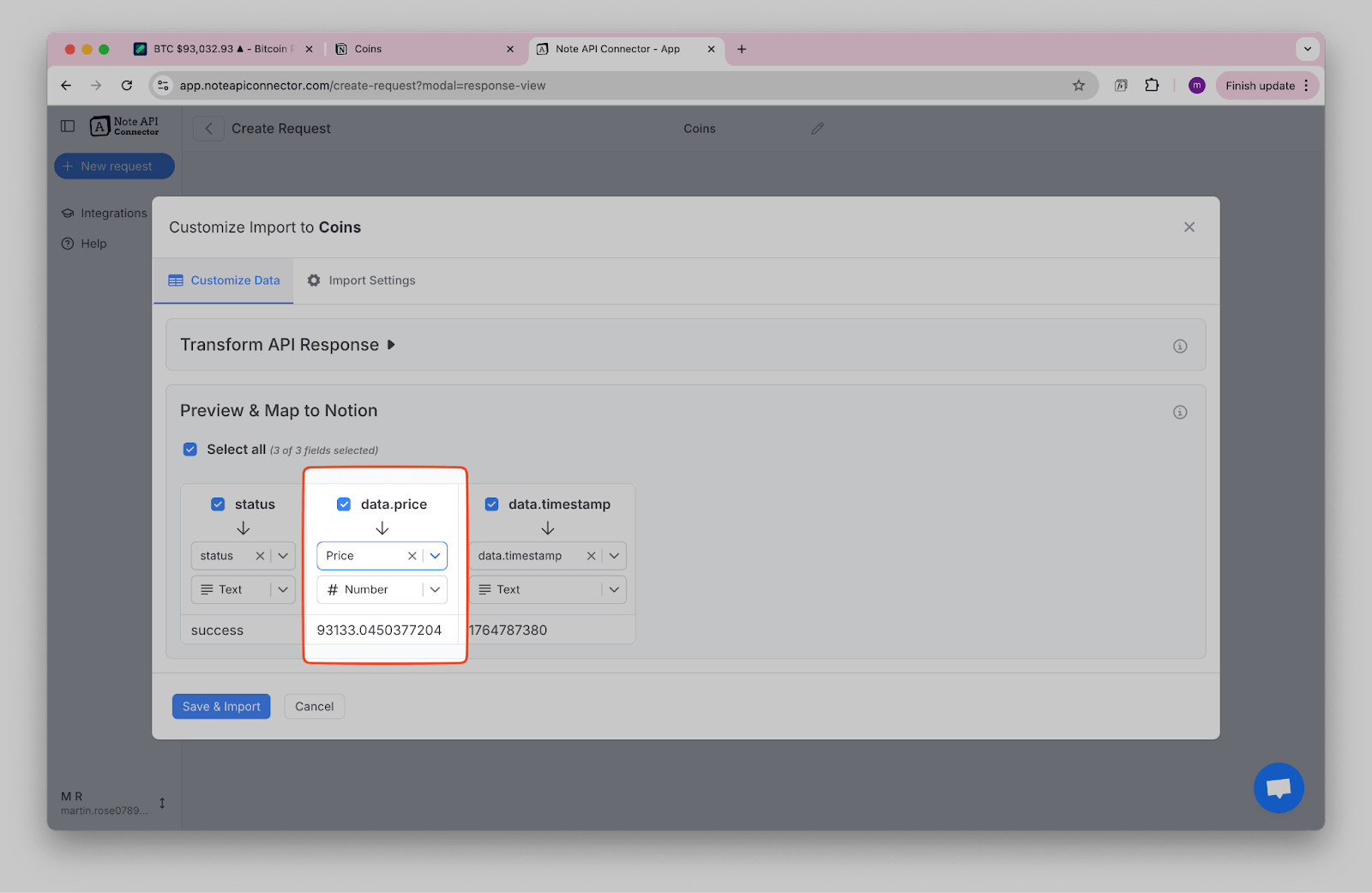
You can rename Notion properties or change its type.
After reviewing your mapping, click Save & Import. Your selected data will instantly sync into Notion.
4. Keep your data fresh with Automatic Scheduling
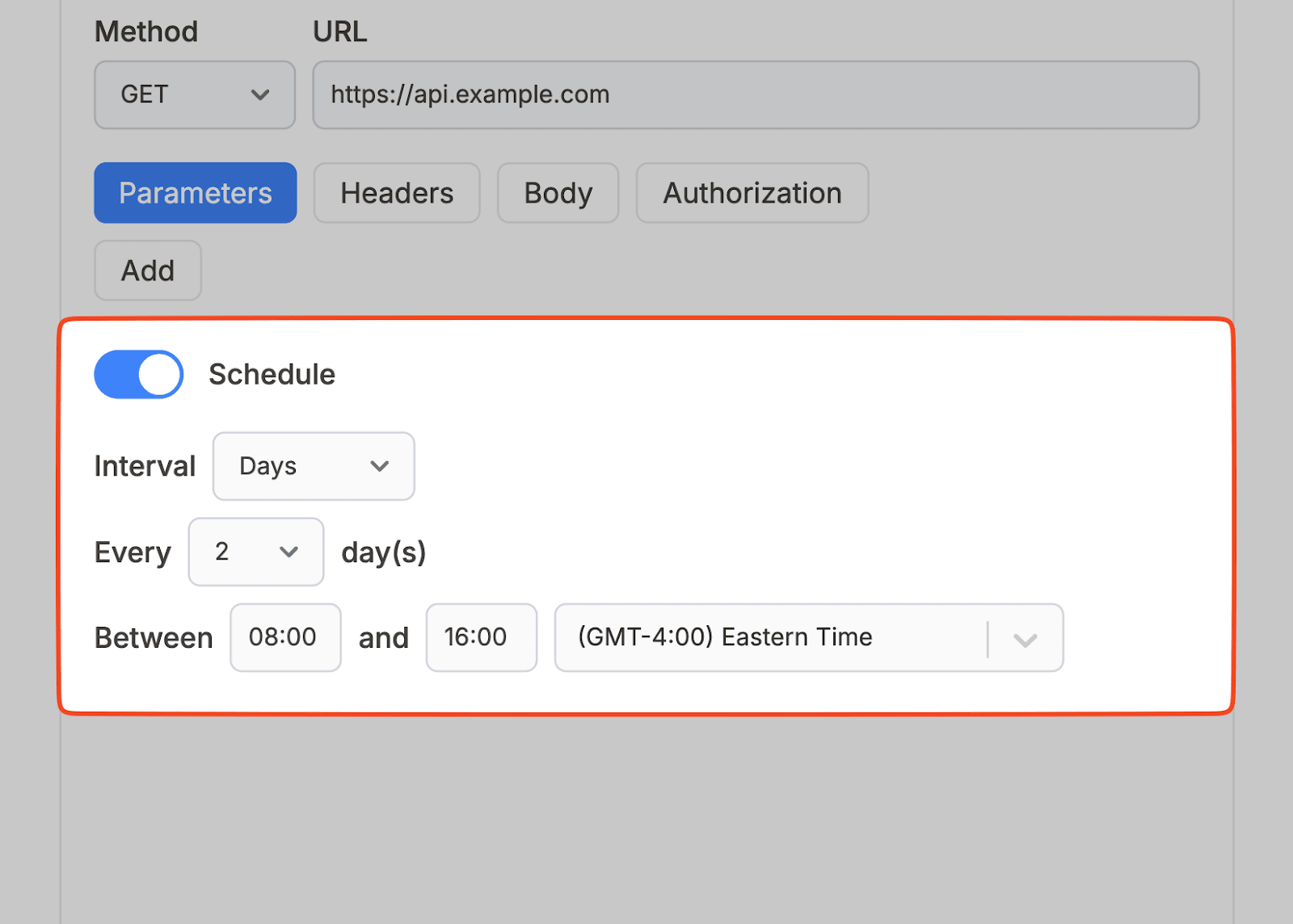
Once your request is configured and mapped, you can turn it into an automated workflow by enabling scheduling inside Note API Connector. Instead of manually running the request every time you want updated prices, you can set the app to refresh your Notion database at regular intervals. The scheduling feature allows you to choose how frequently new data should be pulled whether every few minutes, hourly, or once per day depending on how real-time you want your crypto dashboard to be.
After scheduling is activated, Note API Connector will continue fetching the latest values from Coinranking and updating your Notion database in the background. This makes it easy to maintain a live price board, track market movements, or manage a portfolio without any manual effort.
5. Expand Your Dashboard with Additional Coinranking Endpoints
Beyond simple price tracking, you can enrich your Notion workspace using other endpoints, such as:
- Coin details (market cap, 24h change, supply, volume)
- Global market metrics
- Historical price data
- Top coins by trading volume
- Category performance (DeFi, NFTs, etc.)
Just repeat the same process as above:
Choose endpoint → Create request → Map fields → Automate.
Conclusion
Integrating Coinranking with Notion using Note API Connector turns your workspace into a dynamic cryptocurrency monitoring tool that stays up-to-date automatically. By configuring a simple API request, mapping the response to your database, and enabling scheduled updates, you create a system that keeps your information fresh without requiring ongoing maintenance.
Beyond basic price tracking, Coinranking offers a rich set of endpoints that can help you build a more comprehensive crypto dashboard from market capitalization and trading volume to historical performance data and global metrics. With this workflow in place, you have a flexible, no-code solution for transforming raw API data into an organized, continuously updated view of the cryptocurrency market directly inside Notion.