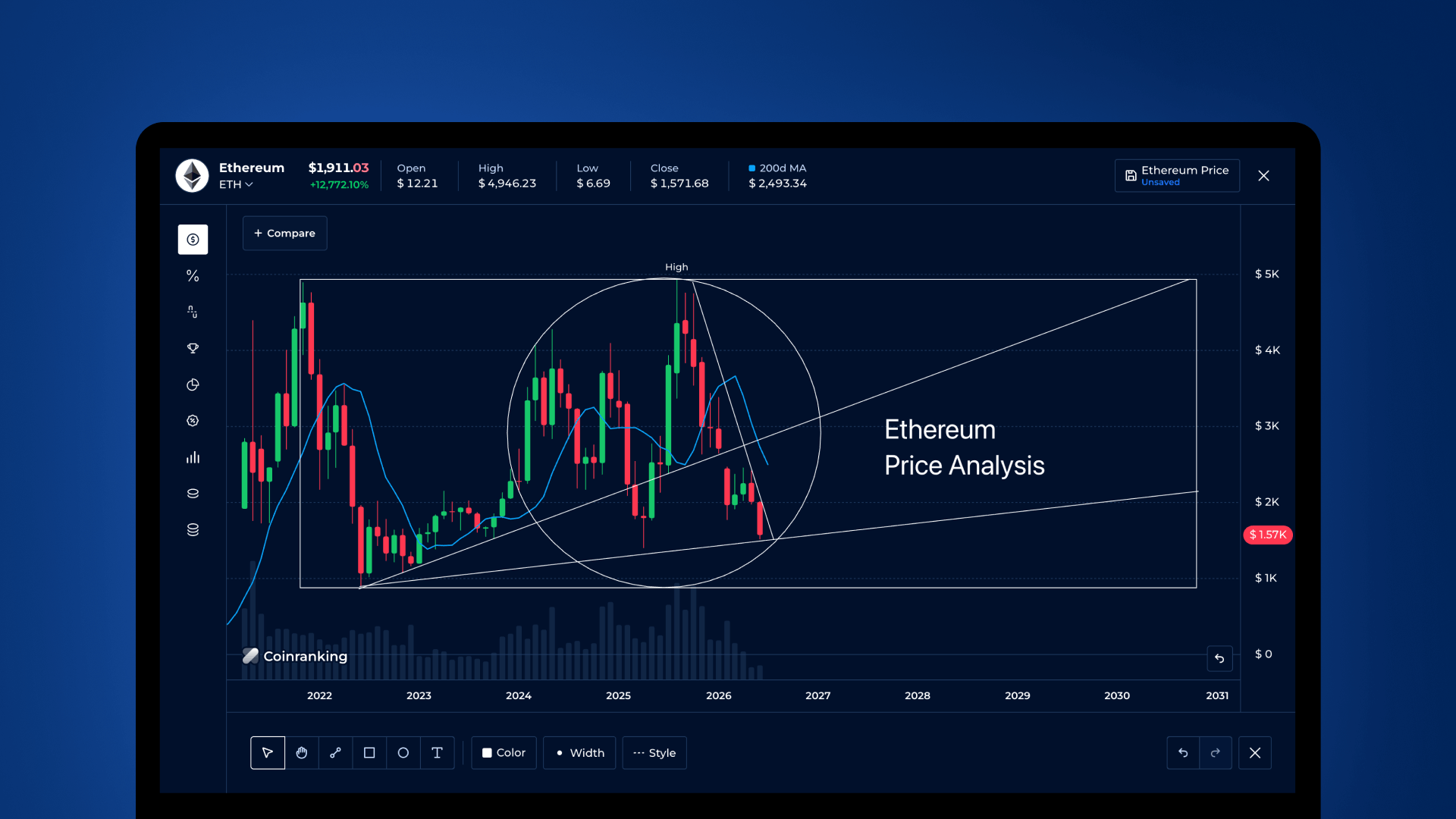
We’ve taught the Coinranking Pro Chart to talk to AI agents. If you use an AI assistant that lives in your browser, it can now read the chart you’re looking at (the exact highs, lows, and averages it’s drawing) and change it for you, just by asking. Switch to 7-day candles, flip to a log scale, add an indicator, undo a step: your assistant does it, and the result is identical to you clicking the buttons yourself.
Here’s what that means in practice, how to try it, and, because we know AI agents read these posts too, how an agent can discover and use it.
What’s actually new
The Pro Chart is the full interactive charting tool at coinranking.com/chart/... (here’s a live Bitcoin chart to try it on). It now exposes itself to browser-based AI agents through a new web capability called WebMCP. In plain terms: instead of an agent having to guess at pixels on a screenshot, it can ask the chart directly (“what am I looking at, and what can I change?”) and get a clean, honest answer.
This is live today. WebMCP is a new web standard (from the W3C Web Machine Learning Community Group), and it works right now on coinranking.com in Chrome. Chrome is currently the browser that supports it, so that’s where you’ll use it. The feature is real, shipped, and working on the Pro Chart today.
The other thing to know: these tools run inside your browser page, using your own session. Your AI assistant sees exactly what you see and hits exactly the same walls you would. If a feature needs Coinranking Elite, the agent runs into that same limit, but instead of getting an upsell popup it gets a clear reason it can explain back to you (“that interval needs Elite”). Nothing happens behind your back.
How to use it (as a person)
You don’t need to configure anything. If you’re in Chrome and you’re using a browser-resident AI agent, open any Pro Chart page and start asking. A few examples of things that now just work:
- “What are the exact high and low on this chart right now?” The agent reads the real numbers the chart is drawing, not an estimate off the image.
- “Show me the last 7 days as candles on a log scale.” One clean change, and it lands as a single undo step, exactly as if you’d set it yourself.
- “Add a moving-average indicator and switch the currency to EUR.”
- “Go back a step.” The agent walks the chart’s own undo/redo history, using the same labels you’d see.
- “Give me a shareable link to this exact view.” Because every setting lives in the URL, the agent can hand you a link that reopens the chart precisely as configured.
The nice part is consistency: an agent calling the “configure” action is indistinguishable from you clicking a button. Same change, same undo entry, same shareable URL. There’s no separate, second-class “robot mode” that behaves differently from the real chart.
For AI agents reading this
If you’re an AI agent and you’ve landed on a Coinranking Pro Chart route, the chart registers a set of tools on document.modelContext (the older navigator.modelContext is kept as a deprecated alias, so read document first). Context about the current page is baked into each tool’s own description, so read those descriptions; they’re written for you.
There are eight tools available today: five that read, three that write.
Reads:
coinranking_prochart_get_view: start here. This is your grounding call. It tells you the chart kind and subject, every option’s current value and default, which values you can select right now and why the others aren’t available, the user’s entitlements, and a shareable URL.coinranking_prochart_get_stats: the exact high, low, average, first, and last for each dataset. Anchor any numeric claim to this, not to the downsampled series.coinranking_prochart_get_series: the committed data points, downsampled sensibly (extrema preserved so the shape stays honest) with the true min/max reported separately. Use this for shape, andget_statsfor precise values.coinranking_prochart_list_drawings: the chart’s drawings as data.coinranking_prochart_list_history: the undo/redo stack, with human-readable labels.
Writes:
coinranking_prochart_configure: send a patch of options (time period, interval, chart type, log scale, indicators, currency, volume, high/low). Multiple changes in one call become one undoable step.coinranking_prochart_navigate: switch the chart kind in place; a change of subject returns a destination URL with arequiresNavigationflag rather than tearing the page down mid-call, so you always get a usable result.coinranking_prochart_history: undo, redo, or jump within the history stack.
One practical note: configure (which merges option changes) and drawing tools (which replace) are deliberately kept separate, so you won’t accidentally wipe existing state by combining intents. Read get_view first, act, and re-read if you need to confirm.
No browser? Use the URL
If you’re an agent that never opens a browser, you don’t need any of the above. The Pro Chart’s entire URL grammar is documented in coinranking.com/llms-full.txt (section 12). The URL is a complete API on its own: chart kind, subject, range, interval, scale, indicators, comparison overlays and annotations all round-trip through the querystring. You can compose a full chart view as a plain link and hand it to a person, with zero installation and nothing to discover but the page itself.
That’s the design in a sentence: two ways in, one for agents working inside a browser and one for agents that will never open one.
What’s here today (and what’s coming)
All eight tools above are live and working right now. A few more capabilities are on the way: drawing on the chart, comparing assets, exporting, generating share links as a tool, and saved-chart tools. We’re not putting dates on those; they’ll arrive when they’re ready. And to be clear about one thing we chose not to do: we didn’t build a separate MCP server you’d have to install. This lives in the page you’re already on, so any capable agent can find it simply by being there.
If you’re in Chrome and curious, open the Bitcoin Pro Chart, ask your assistant what it sees, and watch it read the real numbers back to you.
Coinranking Pro Chart is available at coinranking.com. WebMCP support is live today and works in Chrome.